You've seen it happen. Your virtual town hall starts with the CEO talking, slides appear, and within ten minutes half your workforce is checking email in another tab. The chat? Dead. The Q&A? Three questions from the same person who asks questions at every meeting.
I've watched dozens of virtual town halls fail this exact way. The content was solid, the executives were prepared, but the engagement was nonexistent.
Here's the thing nobody tells you: the problem isn't the content or the platform. It's that most virtual town halls are designed as broadcasts when they should be conversations. And with only 32% of U.S. employees actively engaged at work according to Gallup's August 2025 research, you can't afford another one-way meeting.
This guide shows you how to host virtual town halls that actually engage employees, with real-time chat as the engagement driver that transforms passive viewers into active participants.
TL;DR: A virtual town hall is an online company-wide meeting that uses video conferencing and interactive tools like live chat, polls, and Q&A to connect leadership with employees. With only 32% of employees engaged and 95% unclear on company strategy, virtual town halls are critical for alignment. Keep sessions 60-90 minutes, allocate 30% to interaction, and use real-time chat to give every employee a voice.
What Is a Virtual Town Hall?
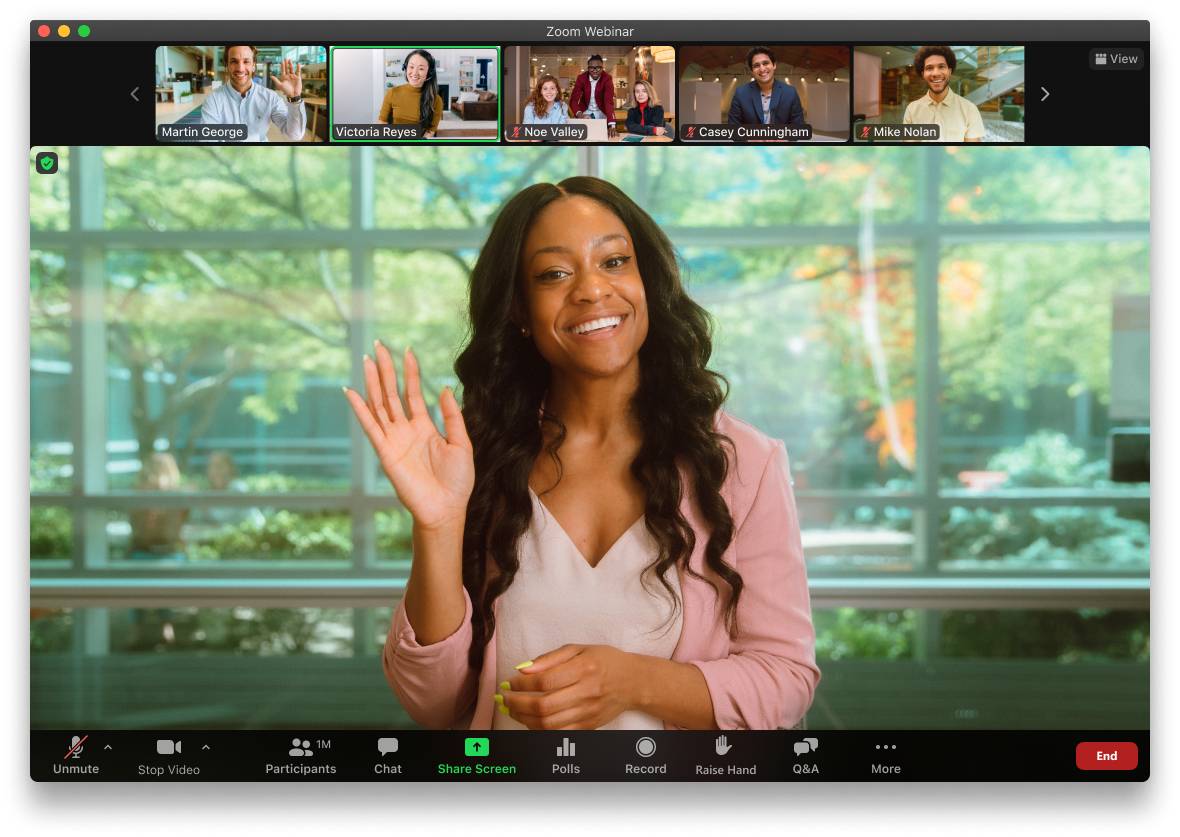
A virtual town hall is an online company-wide meeting where leadership communicates directly with employees through video conferencing and interactive engagement tools. Unlike webinars that broadcast to passive audiences, virtual town halls prioritize two-way communication through live chat, Q&A sessions, and real-time polls.
Think of it as the digital evolution of the traditional town hall meeting. Everyone gathers (virtually), leadership shares updates, and employees have opportunities to ask questions and share feedback.
The format has become essential for distributed teams. According to Gallup's 2025 workforce data, 52% of remote-capable U.S. workers now operate in hybrid models, with another 27% fully remote. That's nearly 80% of knowledge workers who can't simply walk to a conference room for company announcements.
Virtual town halls come in three main forms:
- All-company town halls: The CEO or executive team addresses the entire organization
- Departmental town halls: Division or department-level leadership connects with their teams
- Hybrid town halls: Some employees attend in person while others join virtually
The key difference from other meeting formats? Genuine two-way communication. If employees can't interact, ask questions, and share reactions in real time, you're hosting a webinar, not a town hall.
Virtual Town Hall vs Webinar vs All-Hands: What's the Difference?
The terms get used interchangeably, but they serve different purposes. Understanding the distinction helps you set the right expectations and choose the right format.
Source: Industry best practices, 2025
Webinars excel at delivering polished content to external audiences. They're designed for minimal interruption. Questions typically come at the end, if at all.
Virtual town halls flip that model. Yes, leadership presents updates, but the goal is dialogue. Employees should feel comfortable asking questions, reacting in chat, and knowing their voice matters.
All-hands meetings and virtual town halls are often the same thing. The terminology varies by company culture. What matters is the emphasis on engagement, not just information transfer.
If your "town hall" has no chat, no polls, and questions only from pre-selected employees, you're running a webinar with a different name.
Why Virtual Town Halls Are Critical in 2026
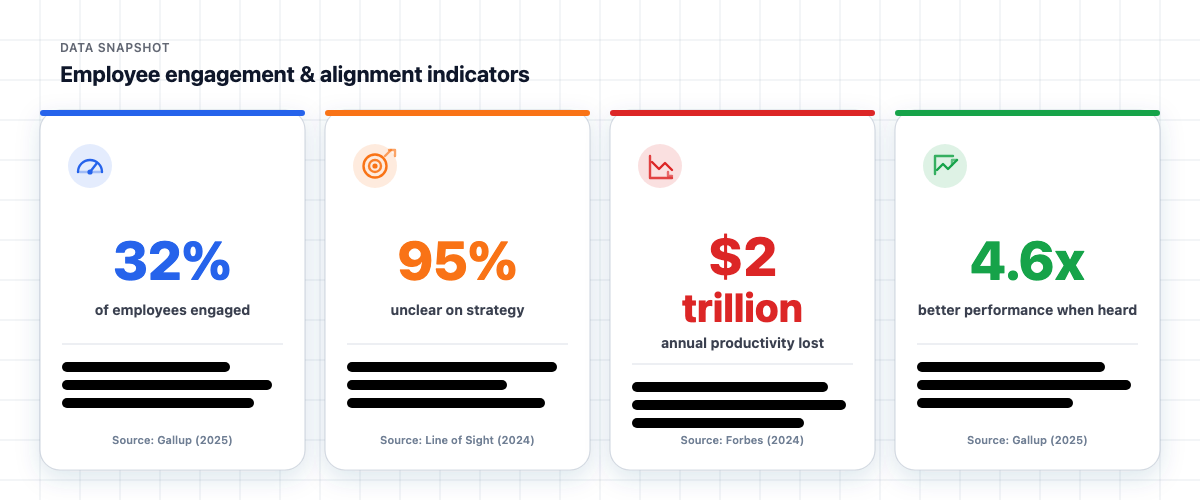
The numbers paint a stark picture. We're facing an employee engagement crisis, and traditional communication approaches aren't cutting it.
Source: Gallup State of the Global Workplace 2025, Line of Sight Research 2024, Forbes 2024
Let me break this down.
The engagement crisis is real. Only 32% of U.S. employees are engaged at work, per Gallup's 2025 data. That's barely one in three people who actually care about their work. The remaining 68%? They're showing up, but they're not invested.
The strategy gap is massive. Line of Sight research reveals that 95% of employees don't fully understand their company's strategy. How can people align their work to company goals if they don't know what those goals are?
The business impact is staggering. Gallup calculates that low engagement costs U.S. businesses $2 trillion annually in lost productivity. That's not a typo. Trillion with a T.
Voice matters more than you think. According to Forbes 2024 research, employees who feel their voice is heard are 4.6 times more likely to perform at their best. Virtual town halls, done right, give employees that voice.
The hybrid work reality makes this even more urgent. With 52% of remote-capable workers in hybrid arrangements and 27% fully remote, you can't rely on water-cooler communication or in-person all-hands meetings to keep everyone aligned.
Virtual town halls aren't a nice-to-have. They're how you close the strategy gap, address the engagement crisis, and give distributed employees a real voice.
Benefits of Virtual Town Halls
When executed well, virtual town halls deliver measurable benefits that justify the investment of leadership time.
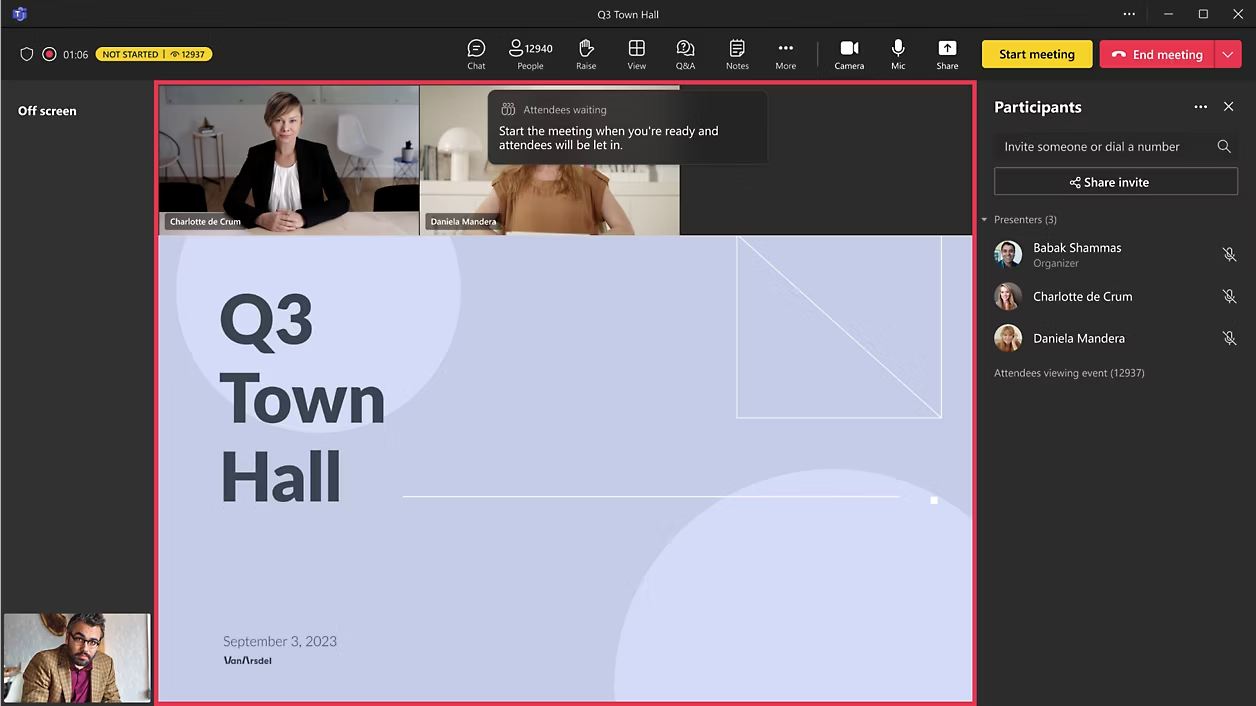
Scalability without logistics nightmares. An in-person all-hands for 5,000 employees requires venue booking, travel coordination, and massive expense. A virtual town hall reaches the same audience from wherever they are. Microsoft Teams town halls support 10,000-100,000 attendees. Specialized platforms handle even more.
Cost efficiency. No venue rental, no travel, no catering. The only cost is the platform and the time invested in preparation.
Democratized participation. In-person meetings favor those who sit in the front row or feel comfortable speaking up in large groups. Virtual town halls with chat-based Q&A give every employee equal opportunity to participate. According to Forbes, 74% of employees prefer anonymous feedback channels, and chat enables exactly that.
Recording and accessibility. Miss the live session? Watch the recording. In a different time zone? Catch the replay. This flexibility ensures no one is excluded from critical company communication.
Engagement data. Virtual platforms capture participation metrics: attendance rates, chat activity, poll responses, questions submitted. This data helps you measure and improve future town halls.
Productivity outcomes. Gallup research shows highly engaged teams experience 18% higher productivity and 23% higher profitability. Virtual town halls contribute to that engagement when they give employees a genuine voice.
The key word is execution. These benefits only materialize when town halls are designed for engagement, not just information delivery. That's where most organizations get it wrong.
How to Host a Virtual Town Hall in 7 Steps
I've seen town halls succeed and fail. The difference comes down to preparation and intentional design for engagement. Here's the process that works.
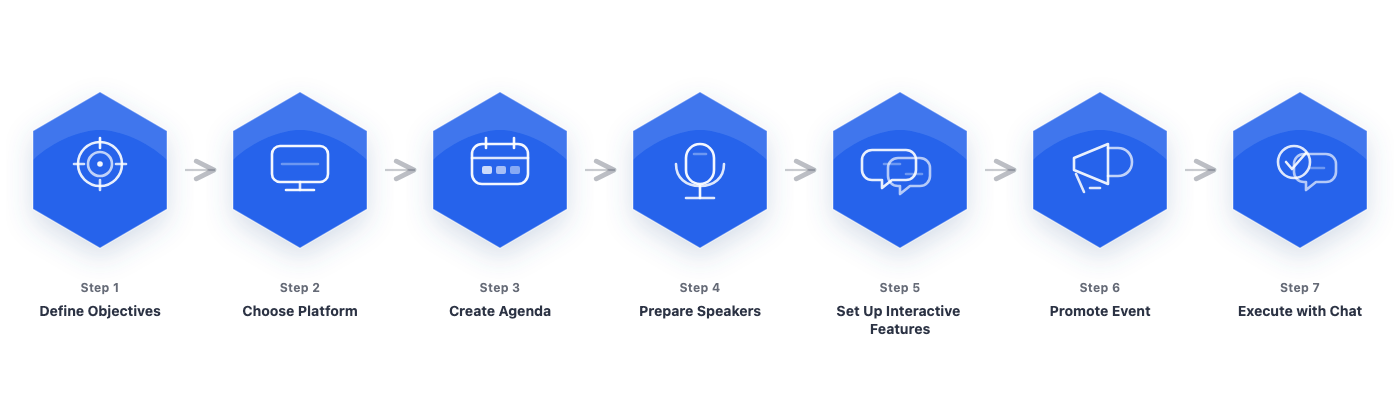
Step 1: Define Your Objectives and Audience
Start with clarity. What do you want employees to know, feel, or do after this town hall?
Common objectives include:
- Communicate quarterly results and company direction
- Address organizational changes or challenges
- Recognize achievements and celebrate wins
- Gather feedback on specific initiatives
- Build connection between leadership and employees
Also consider your audience. All employees? Specific regions or departments? Different audiences may need different messaging or timing.
Step 2: Choose Your Platform and Chat Tools
Your platform choice matters, but it's not the whole picture. Most video conferencing tools handle the basics. The differentiator is engagement features, especially chat.
Here's what to evaluate:
Here's what I've learned from working with event organizers: the built-in chat on most video platforms breaks at scale. When you hit 500+ concurrent users, messages lag, the interface struggles, and half your audience gives up trying to participate.
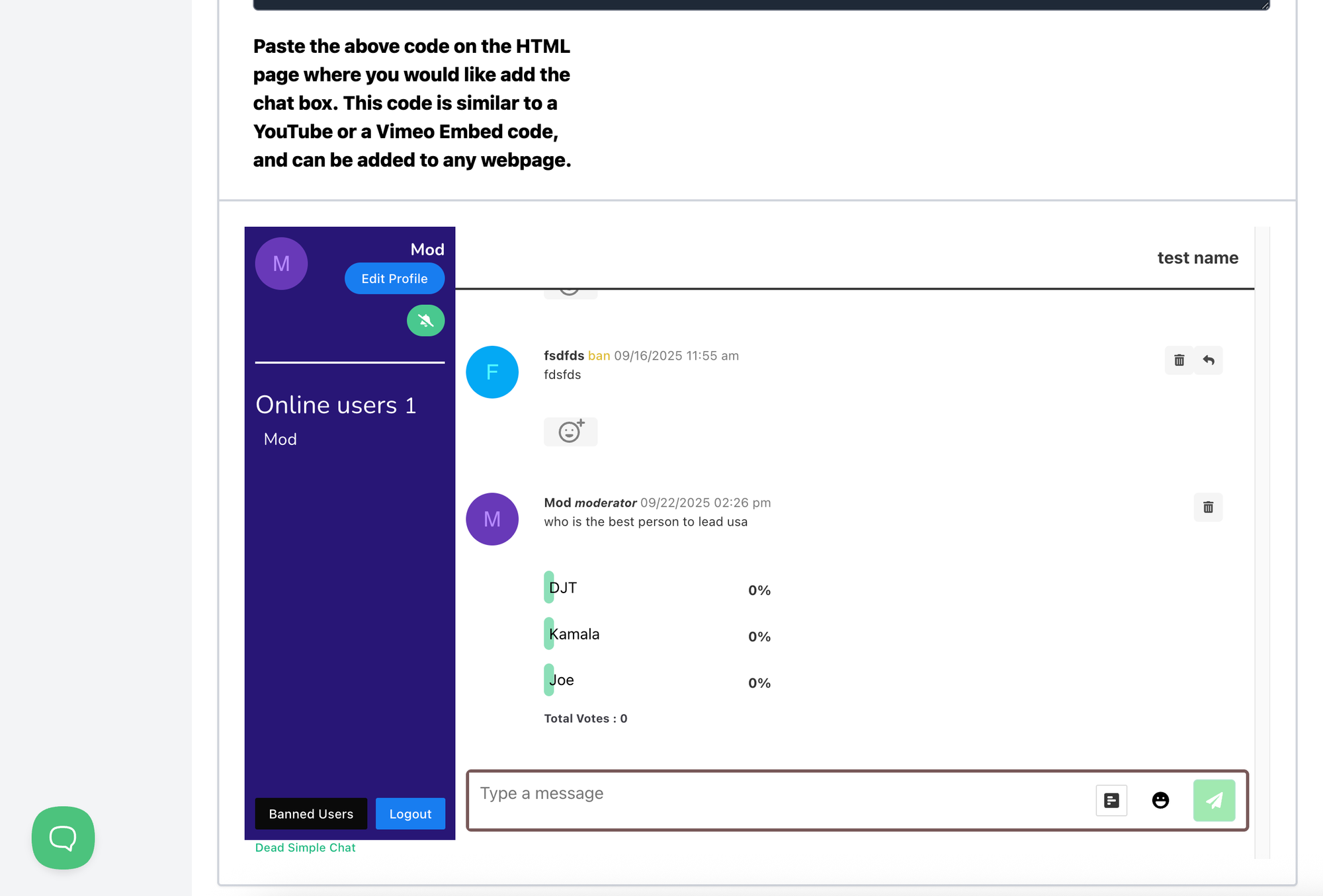
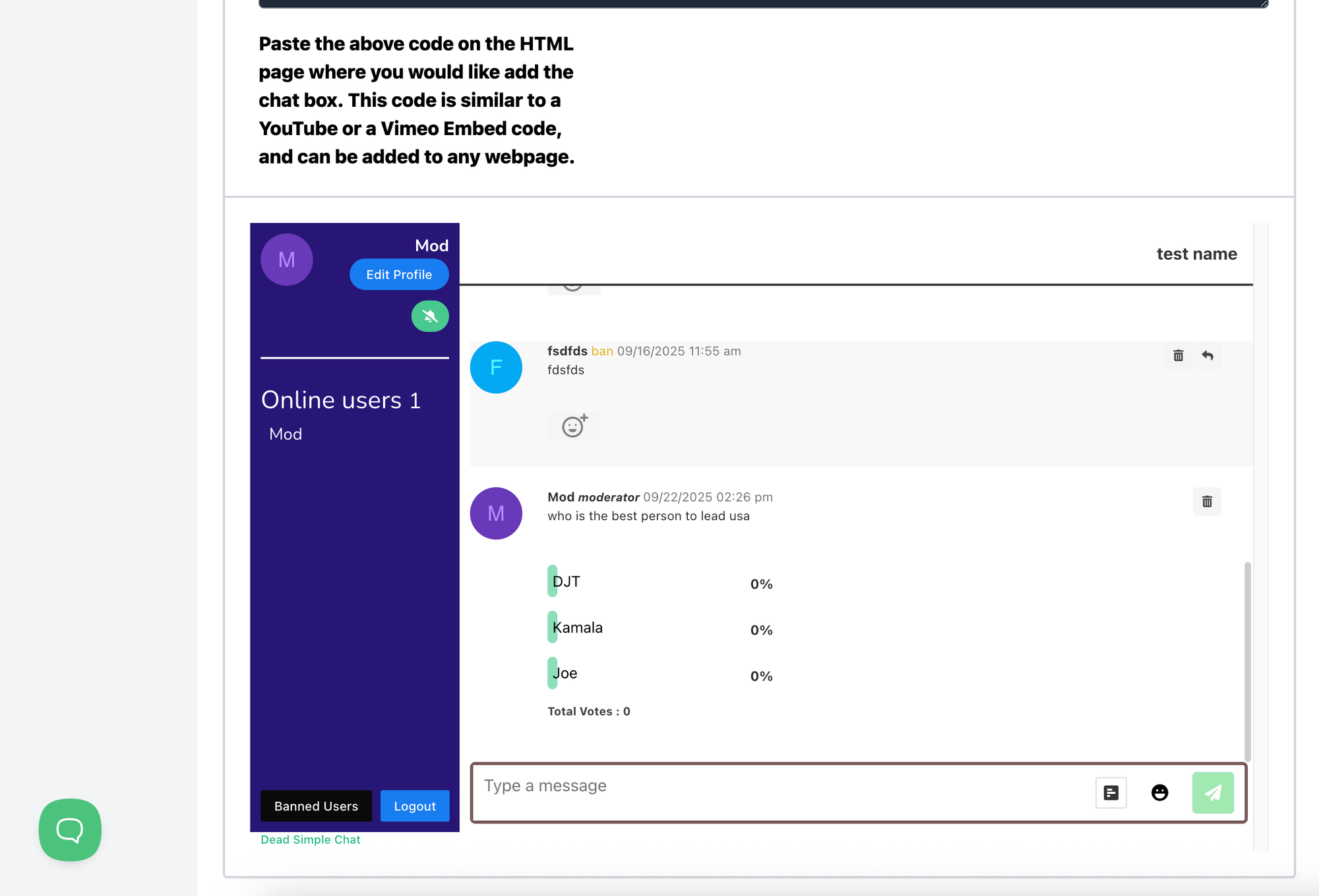
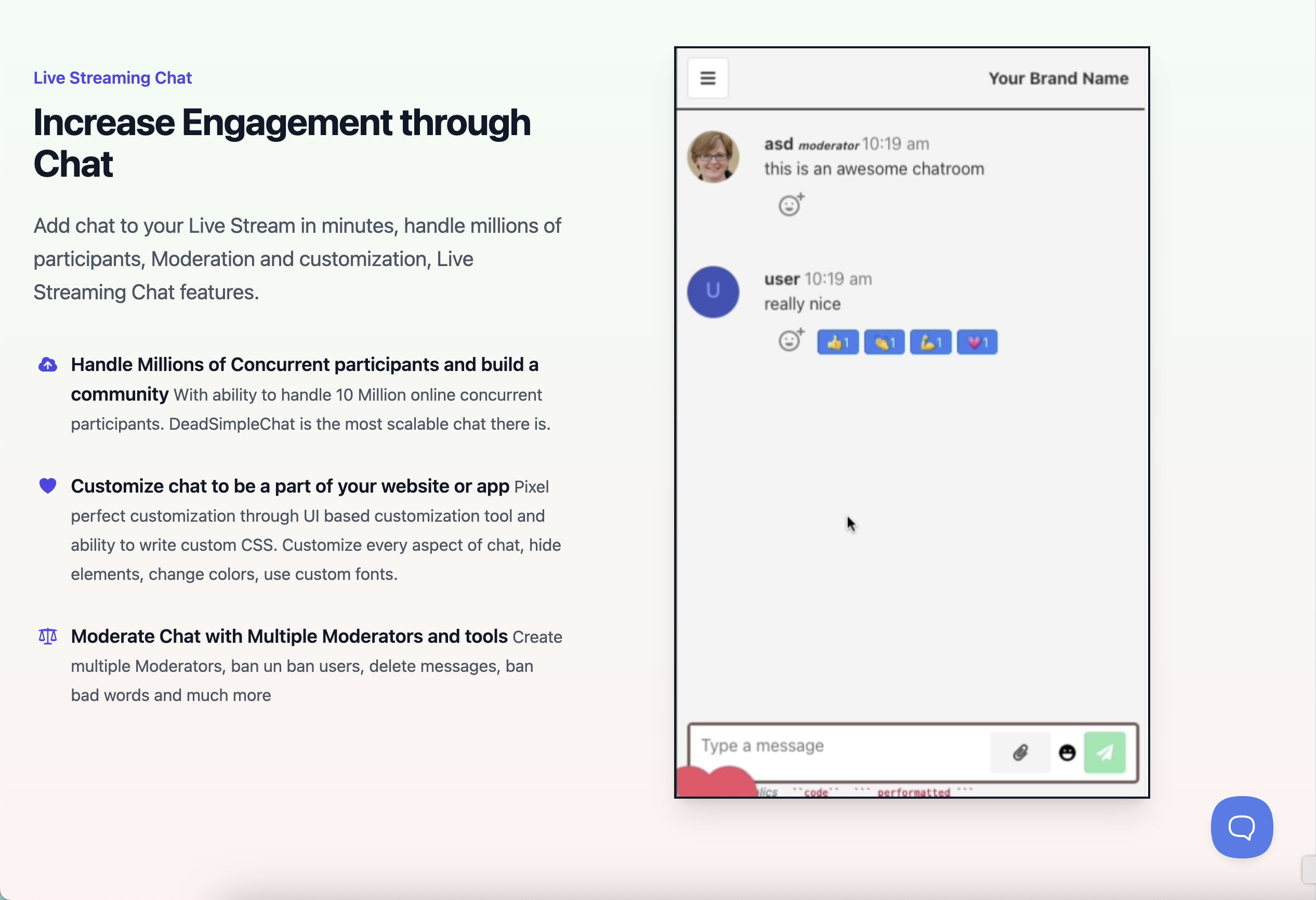
That's why many organizations use dedicated chat tools alongside their video platform. An embeddable chat solution like DeadSimpleChat can handle thousands of concurrent participants without performance issues, and it works with any video platform you choose.
Step 3: Create an Engaging Agenda
According to Flowtrace research, 64% of recurring meetings have no agenda. Don't be that meeting.
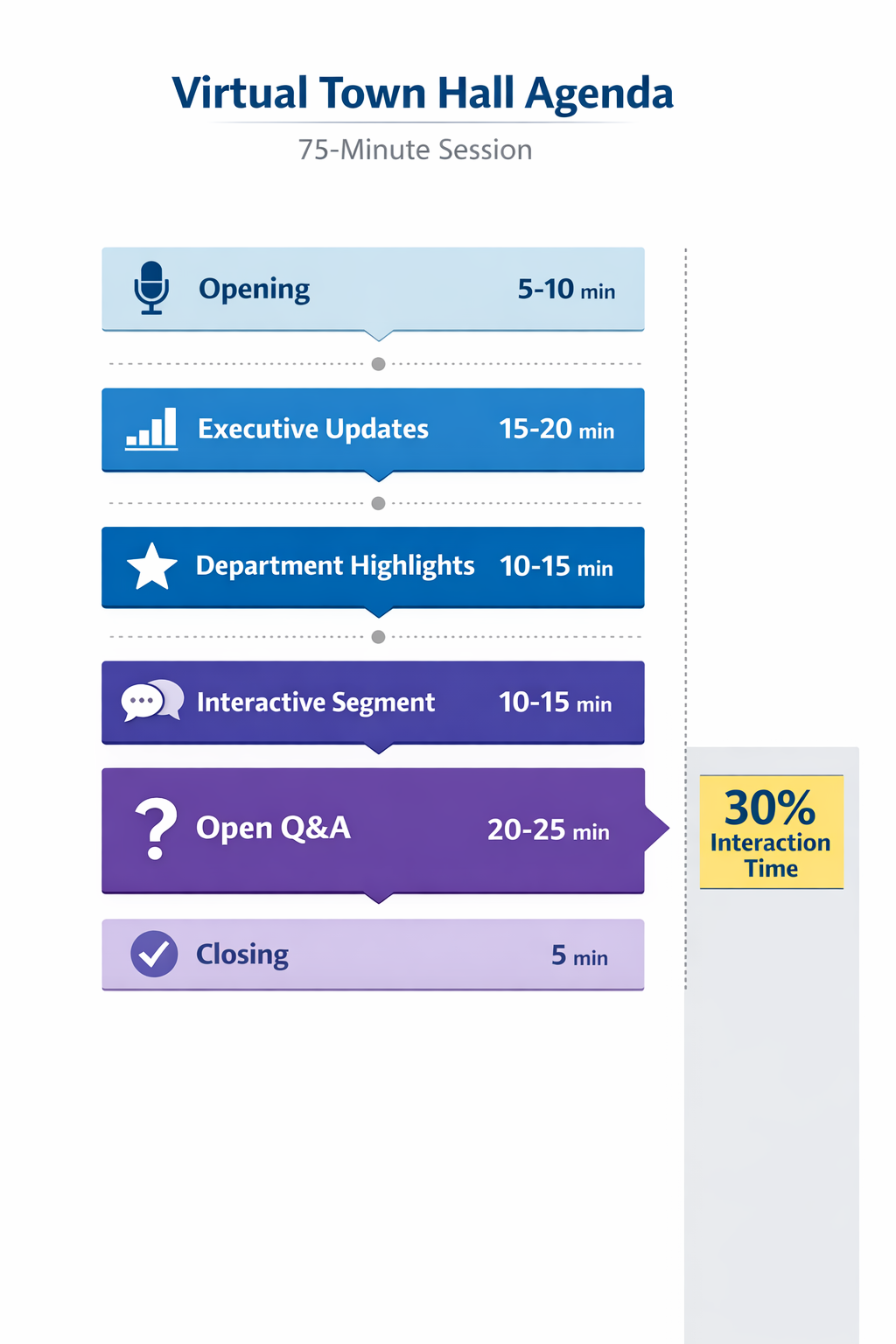
A strong virtual town hall agenda balances information delivery with interaction. Here's a template for a 75-minute session:
Allocate at least 30% of town hall time to audience participation for optimal engagement.
Step 4: Prepare Your Speakers and Content
Great content can't save poor delivery, and vice versa. Invest in both.
Content guidelines:
- Keep individual presentations under 15 minutes. Audience attention wanes after 10-15 minutes (Event Tech Live, 2024).
- Lead with stories. According to Made to Stick research, people remember 63% of stories versus only 5% of statistics alone.
- Include visuals, but don't read slides verbatim.
Speaker preparation:
- Brief speakers on the interactive elements they should reference
- Practice transitions between segments
- Test audio, video, and screen sharing before the event
- Assign a dedicated moderator for chat and Q&A
Don't skip the tech check. According to Owl Labs research, 75% of digital workers experience technology delays, and 70% face visibility or audio quality issues. A five-minute sound check prevents embarrassing technical failures.
Step 5: Set Up Interactive Features
This is where most town halls fail. They add interactive features as an afterthought instead of designing around them.
Essential interactive elements:
- Live chat: Visible throughout the event, not just during Q&A. Employees should be able to react, ask questions, and engage with each other in real time.
- Polls: Plan 2-3 polls at strategic moments. Opening poll for energy, mid-session poll for feedback, closing poll for sentiment.
- Q&A queue: Use a system that allows upvoting so popular questions rise to the top.
- Anonymous option: 74% of employees prefer anonymous feedback channels (Forbes, 2024). Honor that preference.
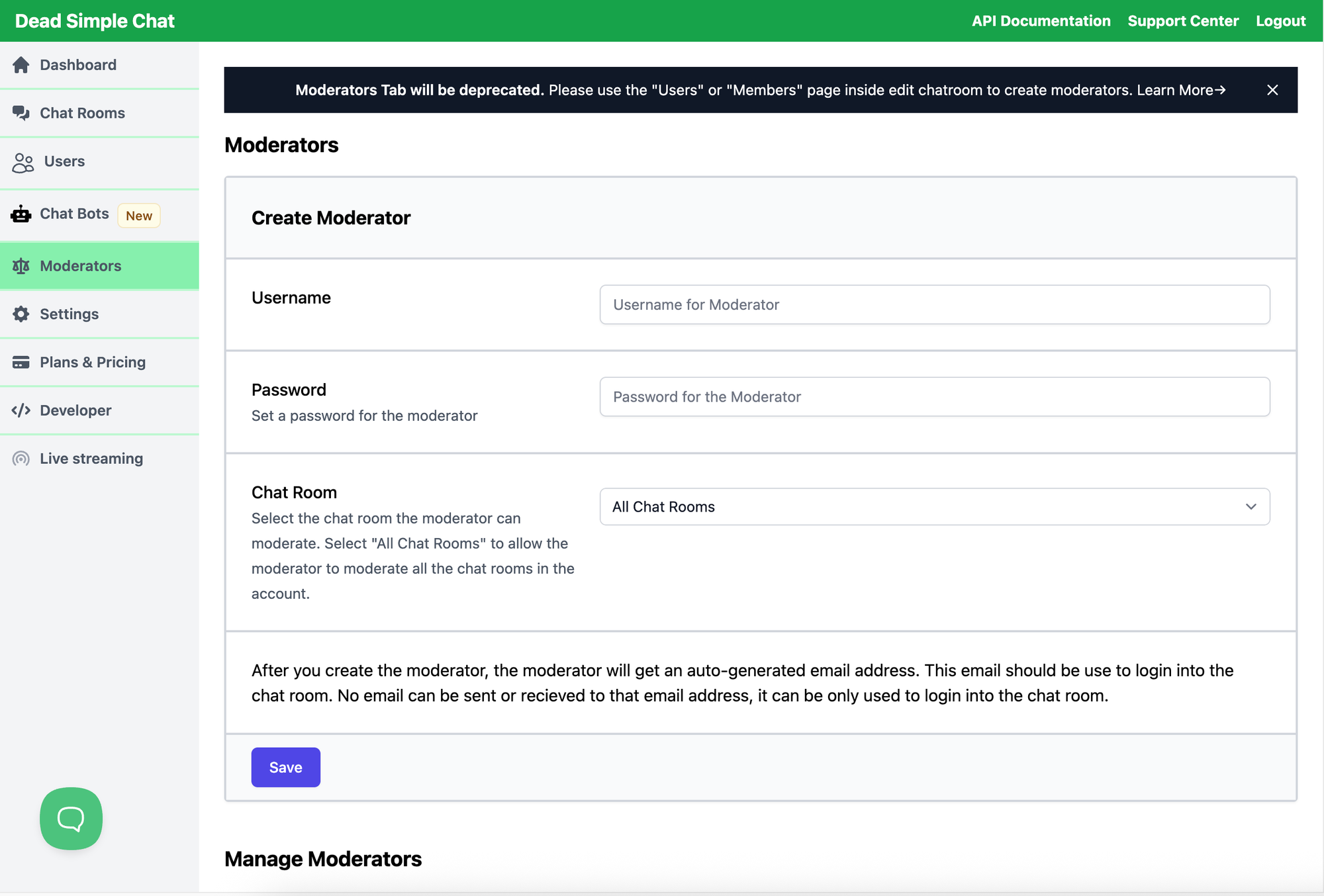
For large-scale town halls (1,000+ attendees), you need moderation infrastructure. That means pre-moderation capabilities, word filters, and multiple moderators. A single person can't monitor thousands of chat messages in real time.
DeadSimpleChat's moderation features handle exactly this scenario, with ban/unban controls, AI image moderation, and support for multiple moderator roles. For a deep dive on moderation strategies, see our complete guide to chat moderation.
Step 6: Promote and Build Anticipation
Don't assume employees will show up just because you scheduled a meeting.
Promotion tactics:
- Share a teaser of topics or questions to be addressed
- Collect questions in advance (reduces Q&A anxiety)
- Send reminder emails 24 hours and 1 hour before
- Use internal communication channels (Slack, Teams, email) for multiple touchpoints
Send calendar invitations 2 weeks in advance
Building anticipation increases attendance and engagement. If employees know their submitted questions will be addressed, they're more likely to attend live rather than watching the recording later.
Step 7: Execute with Real-Time Chat Engagement
The moment arrives. Here's how to keep engagement high throughout:
Opening (first 10 minutes):
- Greet employees by name as they join (if scale allows)
- Launch an icebreaker poll or chat prompt immediately
- Acknowledge chat activity: "I see some of you joining from Tokyo, great to have you"
During presentations:
- Encourage chat reactions to key announcements
- Reference chat comments periodically: "I see Sarah in chat asking about the timeline..."
- Use polls to break up longer segments
Q&A session:
- Have a moderator filter and prioritize questions
- Group similar questions together
- Address anonymous questions with the same weight as named ones
- Be honest when you don't know an answer; commit to follow up
Closing:
- Summarize key takeaways
- Preview how unanswered questions will be addressed
- Thank participants for their engagement
- Share next steps and when to expect the recording
Virtual Town Hall Best Practices
After working with event organizers who've run town halls for audiences ranging from hundreds to tens of thousands, certain patterns consistently produce better results.
Keep presentations short. No single speaker should exceed 15 minutes without a break or interactive element. Attention spans are limited; respect them.
Allocate 30% minimum to interaction. If your 60-minute town hall has only 5 minutes for Q&A at the end, you're doing it wrong. Budget at least 20-30% of total time for polls, chat interaction, and Q&A.
Use chat throughout, not just during Q&A. Enable chat from the moment employees join. The side conversation builds energy and surfaces questions organically. Dead chat at the start means dead chat during Q&A.
Take breaks. For sessions over 60 minutes, build in a 5-minute stretch break around the 30-minute mark. It combats Zoom fatigue (37% of employees report video meeting fatigue, per industry research) and resets attention.
Enable anonymous questions. 74% of employees prefer anonymous feedback channels. Anonymous Q&A encourages the hard questions that wouldn't otherwise be asked.
Follow up on unanswered questions. Don't let questions die in the queue. Publish answers to unaddressed questions within 48 hours via email or internal channels. This builds trust and encourages future participation.
Record and share. Timezones, schedule conflicts, and family emergencies happen. Make the recording available within 24 hours with clear navigation markers for key topics.
10 Virtual Town Hall Engagement Ideas That Actually Work
Generic advice says "add polls and Q&A." Here are specific tactics that create genuine engagement:
- Emoji check-ins: Start with "Drop an emoji in chat that represents how you're feeling today." Simple, fast, and immediately visible.
- Live recognition wall: Dedicate 5 minutes to calling out employee achievements with names on screen. Recognition reduces turnover by 56% (Deloitte, 2024).
- Anonymous Q&A with upvoting: Let employees vote on questions. This surfaces what people actually want to know.
- Real-time word clouds: Ask an open-ended question, collect chat responses, display as a word cloud. Great for sentiment visualization.
- Leadership "two truths and a lie": Humanizes executives while creating an interactive moment.
- Department trivia: Quick quiz about company history, product facts, or team achievements. Gamification increases attention.
- Physical movement breaks: "Stand up and stretch if you've been working from home today." Gets blood flowing and combats fatigue.
- Themed town halls: Quarterly themes (innovation week, customer celebration, etc.) create anticipation and variety.
- Chat-based reactions: Encourage specific chat phrases ("type 'yes' if you agree") to create visible consensus moments.
- Post-event challenges: "Take one action from today's town hall and share it in Slack by Friday." Extends engagement beyond the session.
Choosing the Right Virtual Town Hall Platform
Platform selection depends on your scale, integration needs, and engagement priorities.
Source: Vendor documentation, 2025
Here's what most guides won't tell you: platform-native chat often breaks under load. At 500+ concurrent users, message lag becomes noticeable. At 1,000+, the experience degrades significantly.
That's why many organizations decouple video from chat. Use your existing video platform for the broadcast, then embed a dedicated chat solution that's built for scale.
DeadSimpleChat handles up to 10 million concurrent users without the performance issues that plague built-in chat. It embeds on any website or event page, includes comprehensive moderation features, and supports SSO so employees authenticate automatically.
The result: your town hall runs on whatever video platform you prefer, with chat engagement that doesn't break.
How to Moderate Q&A for Large Virtual Town Halls
Managing thousands of questions requires more than one person watching a chat window. You need systems.
Pre-moderation vs. post-moderation:
- Pre-moderation: Questions are reviewed before appearing in the public queue. Slower but safer for sensitive topics.
- Post-moderation: Questions appear immediately but can be removed. Faster and feels more authentic.
For most corporate town halls, a hybrid approach works best: pre-moderation for submitted questions, real-time chat with post-moderation for the live stream.
Question filtering and prioritization:
- Group similar questions (don't answer the same thing five times)
- Prioritize by upvotes if using an upvoting system
- Balance department representation so different teams get airtime
- Save some time for anonymous questions
Handling difficult questions:
- Don't dodge. If leadership doesn't know an answer, say so and commit to follow up.
- If a question is inappropriate, the moderator removes it without drawing attention.
- Address tough topics directly. Avoidance erodes trust faster than honest difficulty.
Dedicated moderator roles:
- Question curator: Selects which questions to surface to speakers
- Chat monitor: Watches real-time chat for sentiment and removes violations
- Tech support: Handles platform issues so presenters stay focused
Measuring Virtual Town Hall Success
If you can't measure it, you can't improve it. Track these metrics to evaluate and iterate.
Source: Industry benchmarks, 2025
Beyond individual metrics, track trends over time. Is participation increasing with each town hall? Are survey scores improving? Which segments generate the most chat activity?
Long-term, correlate town hall engagement with broader employee engagement metrics. Gallup's research shows highly engaged teams are 18% more productive and 23% more profitable. Virtual town halls contribute to that engagement when they give employees a voice.
Frequently Asked Questions
What is a virtual town hall?
A virtual town hall is an online company-wide meeting where leadership communicates updates, strategy, and recognition to employees through video conferencing. Unlike one-way webinars, virtual town halls feature interactive elements like live chat, real-time polls, and Q&A sessions to facilitate two-way communication. They are essential for connecting distributed teams in hybrid and remote work environments.
How do you host a virtual town hall meeting?
Host a virtual town hall by defining clear objectives, selecting a platform with interactive features (chat, polls, Q&A), and creating an agenda with 30% allocated to audience interaction. Prepare speakers, test technology, and promote the event in advance. During the meeting, use live chat for real-time engagement, moderate questions effectively, and keep presentations under 15 minutes each. Follow up with recordings and feedback surveys.
What is the difference between a virtual town hall and a webinar?
Virtual town halls prioritize two-way communication with employees through live chat, polls, and Q&A, lasting 60-90 minutes. Webinars are one-to-many presentations focused on delivering educational content, typically 30-60 minutes with limited audience interaction. Town halls emphasize dialogue and transparency within organizations, while webinars prioritize structured content delivery.
How do you make a virtual town hall engaging?
Make virtual town halls engaging by using real-time chat for continuous participation, live polls every 10-15 minutes, and anonymous Q&A to encourage questions. Keep presentations short (under 15 minutes), include employee recognition moments, and add icebreakers at the start. Take 5-minute breaks every 30 minutes to combat fatigue, and dedicate at least 30% of time to audience interaction.
How long should a virtual town hall be?
Virtual town halls should last 60-90 minutes. This provides enough time for leadership updates (20-30 minutes), department highlights (15-20 minutes), interactive segments (10-15 minutes), and Q&A (20-30 minutes). Shorter sessions under 60 minutes may feel rushed, while sessions exceeding 90 minutes risk losing audience attention and increasing fatigue.
How often should companies host virtual town halls?
Most companies host virtual town halls quarterly, which provides regular communication without overwhelming employees. Fast-growing organizations may benefit from monthly town halls, while stable companies can maintain quarterly or semi-annual schedules. The key is consistency rather than frequency. Consider additional town halls during major transitions, crises, or significant company announcements.
What tools do you need for a virtual town hall?
Essential virtual town hall tools include video conferencing (Zoom, Microsoft Teams, Google Meet), a live chat platform for real-time engagement, polling software for interactive surveys, and Q&A tools with moderation capabilities. For large events with 1,000+ attendees, consider a scalable embeddable chat solution like DeadSimpleChat that can handle thousands of concurrent participants without performance degradation.
How do you measure virtual town hall success?
Measure virtual town hall success through attendance rate (target 70%+ of invitees), active participation (40%+ engaging via chat or polls), question submissions (15-25 per 100 attendees), session retention (80%+ staying until the end), and post-event survey scores. Track employee engagement trends over time and correlate with town hall frequency and quality. Long-term, monitor impact on broader engagement metrics.
[AI_IMAGE: Virtual Town Hall Success Metrics Dashboard] Prompt for ChatGPT/DALL-E: Create a professional metrics dashboard mockup for virtual town hall success tracking. Design as a clean dashboard interface with 6 metric cards arranged in a 2x3 grid. Each card shows: metric name, current value, target value, and a small trend indicator (up/down arrow or mini chart). Cards: "Attendance Rate" showing 78% (target 70%), "Active Participation" showing 45% (target 40%), "Questions per 100" showing 22 (target 15-25), "Session Retention" showing 85% (target 80%), "Survey Response" showing 35% (target 30%), "NPS Score" showing 52 (target 50). Use green indicators for metrics meeting targets. Include a header showing "Town Hall Analytics - Q4 2025" or similar. Modern analytics dashboard aesthetic with white background, subtle shadows, and professional blue accent colors. Clean data visualization style. Style: Analytics dashboard mockup, modern B2B Dimensions: 1200x700 pixels, landscape Alt text: Virtual town hall success metrics dashboard showing attendance rate, participation, questions, retention, survey response, and NPS tracking [/AI_IMAGE]
Making Virtual Town Halls Work: The Chat-First Approach
Virtual town halls succeed or fail based on engagement. And engagement, more than any other factor, comes from giving employees a real-time voice.
The statistics are clear. Only 32% of employees are engaged. 95% don't understand company strategy. But when employees feel heard, they perform 4.6 times better.
Chat is the engagement driver that transforms passive broadcasts into conversations. It's where questions surface, reactions happen, and employees feel connected to both leadership and each other.
Whether you're running quarterly all-hands meetings or monthly departmental updates, prioritize the elements that drive participation: live chat throughout the event, anonymous Q&A, interactive polls, and genuine responsiveness to employee input.
The technology exists to make this work at any scale. Video platforms handle the broadcast. Dedicated chat tools like DeadSimpleChat handle the engagement layer, with moderation features that keep large-scale conversations productive and pricing plans that work for events of any size.
Your next virtual town hall doesn't have to be a one-way broadcast. Design for dialogue, invest in engagement infrastructure, and give your employees the voice they need to align with your strategy and perform at their best.
Add chat to your next virtual town hall - try DeadSimpleChat free
About DeadSimpleChat: DeadSimpleChat is an embeddable chat platform trusted by organizations for virtual events, online communities, and live streaming. With support for up to 10 million concurrent users, comprehensive moderation tools, and SSO integration, DeadSimpleChat provides the engagement layer for virtual town halls of any scale. Explore the features or start free.
Ready to Add Chat to Your Website?
Get started for free. No credit card required.
Start a Free Trial![Webinar Chat: The Complete Guide to Engaging Your Audience [2026]](/blog/content/images/size/w600/2026/02/article-hero-webinar-chat.svg)