REST API Authentication
The Dead Simple Chat REST API lets your own backend do the things you would otherwise do by hand in the dashboard: create chat rooms, create users and moderators, read and post messages, manage channels and members, and export history.
Every request goes to https://api.deadsimplechat.com, under one of two paths:
https://api.deadsimplechat.com/consumer/api/v1/...
https://api.deadsimplechat.com/consumer/api/v2/...
Both are current and neither is being retired — v2 is simply where the newer endpoints landed, so
the version is a property of the endpoint rather than of the API as a whole. Every endpoint page shows
its own full URL. Use that rather than assuming a version.
Your two keys
Go to Dashboard -> Developer. You will find two keys there.
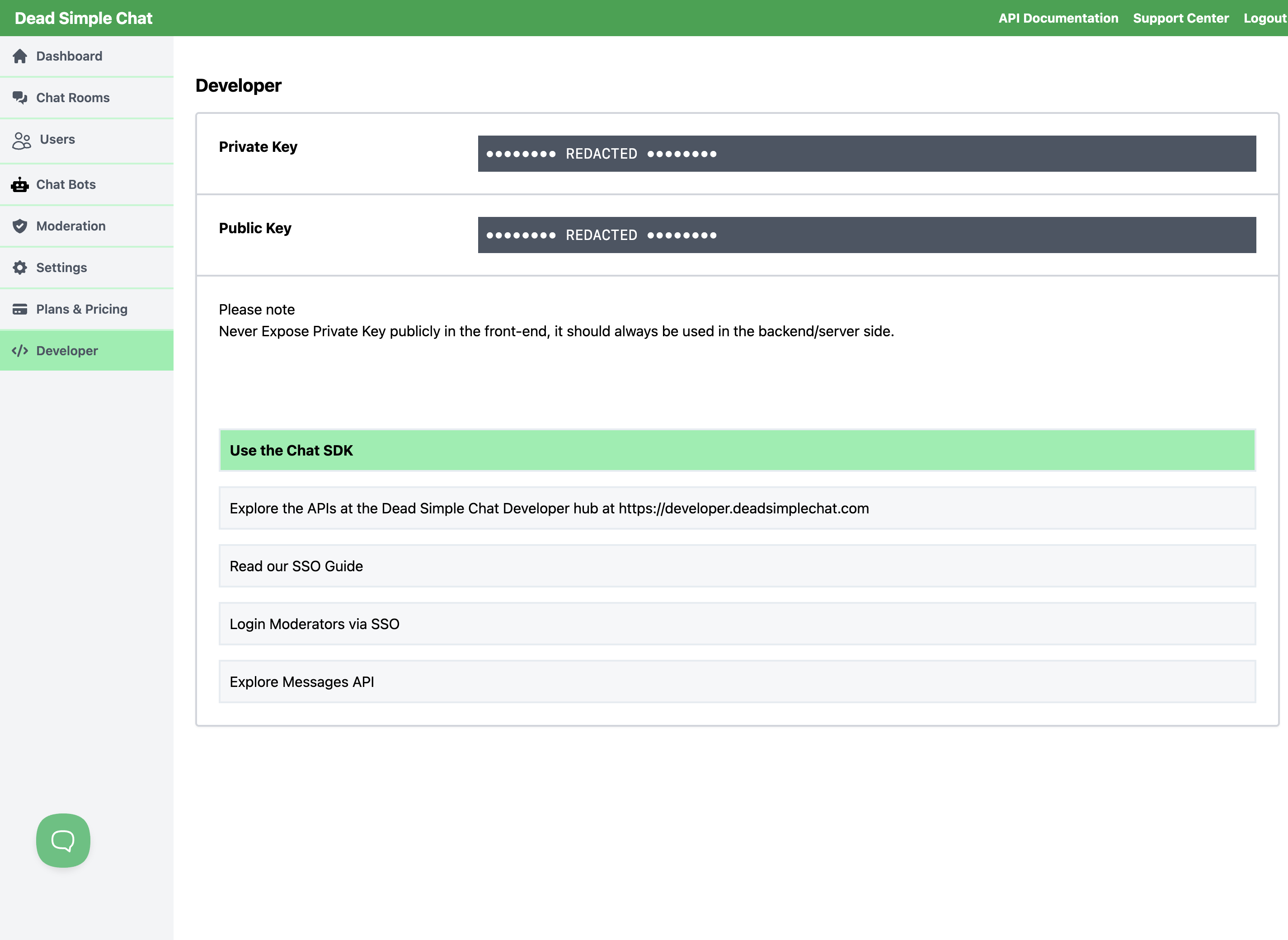 Dashboard -> Developer
| Key | Used for | Where it belongs |
|---|---|---|
| Private Key | Authenticating REST API calls | Your server only. Never in front-end code |
| Public Key | Starting the JavaScript SDK, and Validate Access Token | Safe to ship in the browser |
The private key is the one that can create, change and delete everything in your account, so treat it the way you would treat a password. If it ever appears in a page source, a public repository or a screenshot, generate a new one and update your server.
Authenticating a request
Pass your private key as the auth query parameter:
GET https://api.deadsimplechat.com/consumer/api/v1/chatrooms?auth=YOUR_PRIVATE_KEY
curl "https://api.deadsimplechat.com/consumer/api/v1/chatrooms?auth=YOUR_PRIVATE_KEY"
That is the whole scheme — there is no separate token to fetch and no Authorization header. Because
the key travels in the URL, keep these calls server-to-server, where the URL is not written into
browser history or a referrer header.
The one endpoint that works differently is Validate Access Token,
which takes publicKey instead so it can be called from a front end.
What comes back when something is wrong
Errors come back as JSON. Most carry a message describing what went wrong; a few of the older
endpoints use error and errorMessage instead, so read both when you write your error handling.
| Status | Means |
|---|---|
| 400 | The request was rejected. Usually a parameter is missing, malformed or out of range, and the message says which. It can also mean the endpoint is not part of your current plan, in which case the message tells you to upgrade — see Plans and Pricing |
| 401 | The auth parameter was missing, or the key does not match an account. Check you copied the whole key |
| 429 | Too many requests. See the limit below |
| 500 | Something failed on our side. Most of these carry an eventId — send it to support@deadsimplechat.com and we can look up exactly what happened |
A 401 is worth ruling out first: an extra space or a truncated copy of the key produces the same response as a key that was never valid. For a 400, read the message before assuming a plan restriction — the great majority of 400s are ordinary validation.
Rate limit
Most endpoints are limited to 600 requests a minute per private key. Going over returns 429, and the limit clears within a minute — retry after waiting rather than immediately.
If you are making the same call in a loop, ask whether a webhook would do the job instead: webhooks push the event to you when it happens, rather than you polling for it.
Where to go next
| To | Start at |
|---|---|
| Create a room from your backend | Create Chat Room |
| Sign your users in without a login screen | Create User, then Single Sign-On |
| Give someone moderator powers | Create Moderator |
| Read or post messages | Get Messages, Send a Message |
| Be told when something happens | Webhook events |
| Embed chat in a page | JavaScript SDK Quick Start |