SSO in WordPress
The method below passes the WordPress username as a username query parameter — that is
Basic SSO, which is switched off by default on every account created from
September 2023 onwards and cannot be switched back on from the dashboard. On such an account this
guide silently does nothing: the join screen appears instead of the user being logged in.
If you signed up after that date, use
SSO Using Unique User Identifier, or create the user from
PHP with the Create User API and pass the returned
accessToken as described in SSO using Auth Token. The short WordPress
walkthrough in Embed in WordPress already uses the
access-token approach.
This page remains for accounts created before that change, where Basic SSO is still active.
To implement SSO in Wordpress so that users logged-in your wordpress sites get automatically logged-in to Dead Simple Chat, follow this guide.
In this Guide we use the Dead Simple Chat Basic SSO and Login the Users into the Dead Simple Chat, Chat Room who are already logged-in to Wordpress.
- Login to your Wordpress dashboard and open themes editor Appearance → Theme Editor
- The edit Theme Functions file (functions.php)
- Add the following code on top of the file
function hook_javascript() {
    if(is_user_logged_in()) {
        $output="<script> window.userObject = ".json_encode(wp_get_current_user()).";</script>";
        echo $output;
    } else {
        $output="<script> window.userObject;; </script>";
        echo $output;
    }
}
add_action('wp_head','hook_javascript')
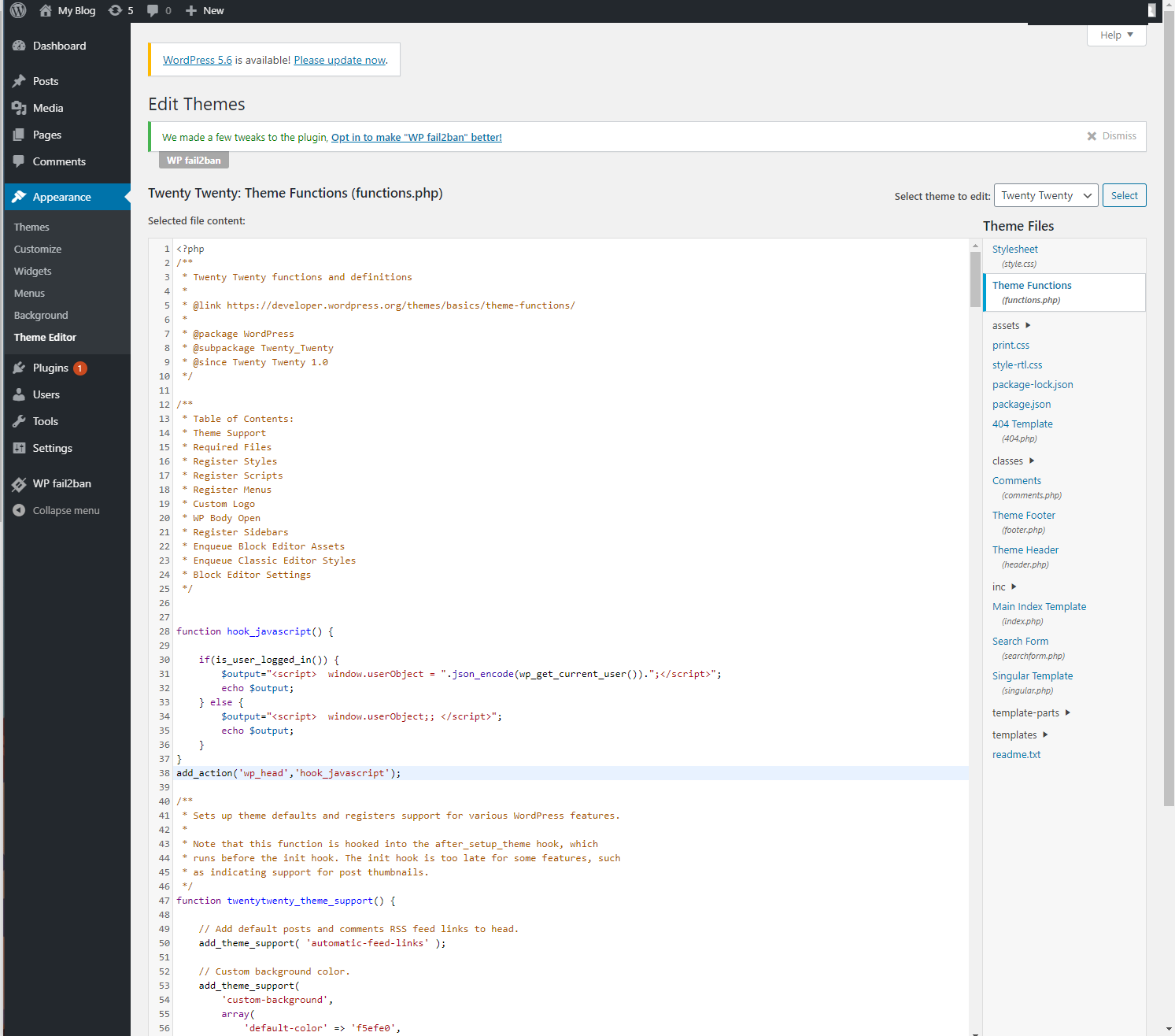 php with DeadSimpleChat SSO snippet
- The open Theme Footer file (footer.php) and paste the following code in the footer
<script type="text/javascript">
    var frames = document.getElementsByClassName("myFrame");
    for (var i =0; i < frames.length; i++) {
        frames[i].src = frames[i].src + "?username=" + userObject.data.user_nicename;
    }
</script>
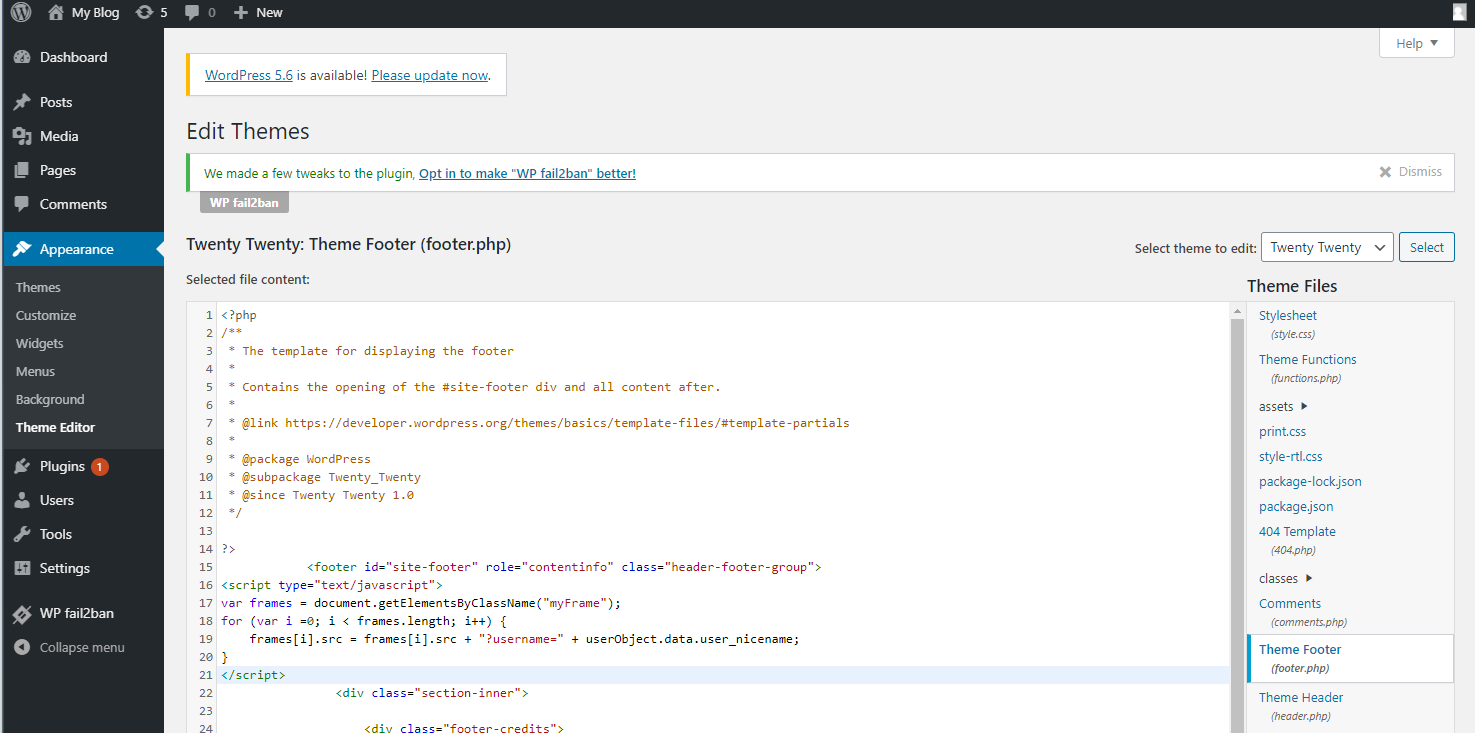 footer.php with DeadSimpleChat SSO snippet
- Now get the embed code of your chat room from the Dead Simple Chat Dashboard
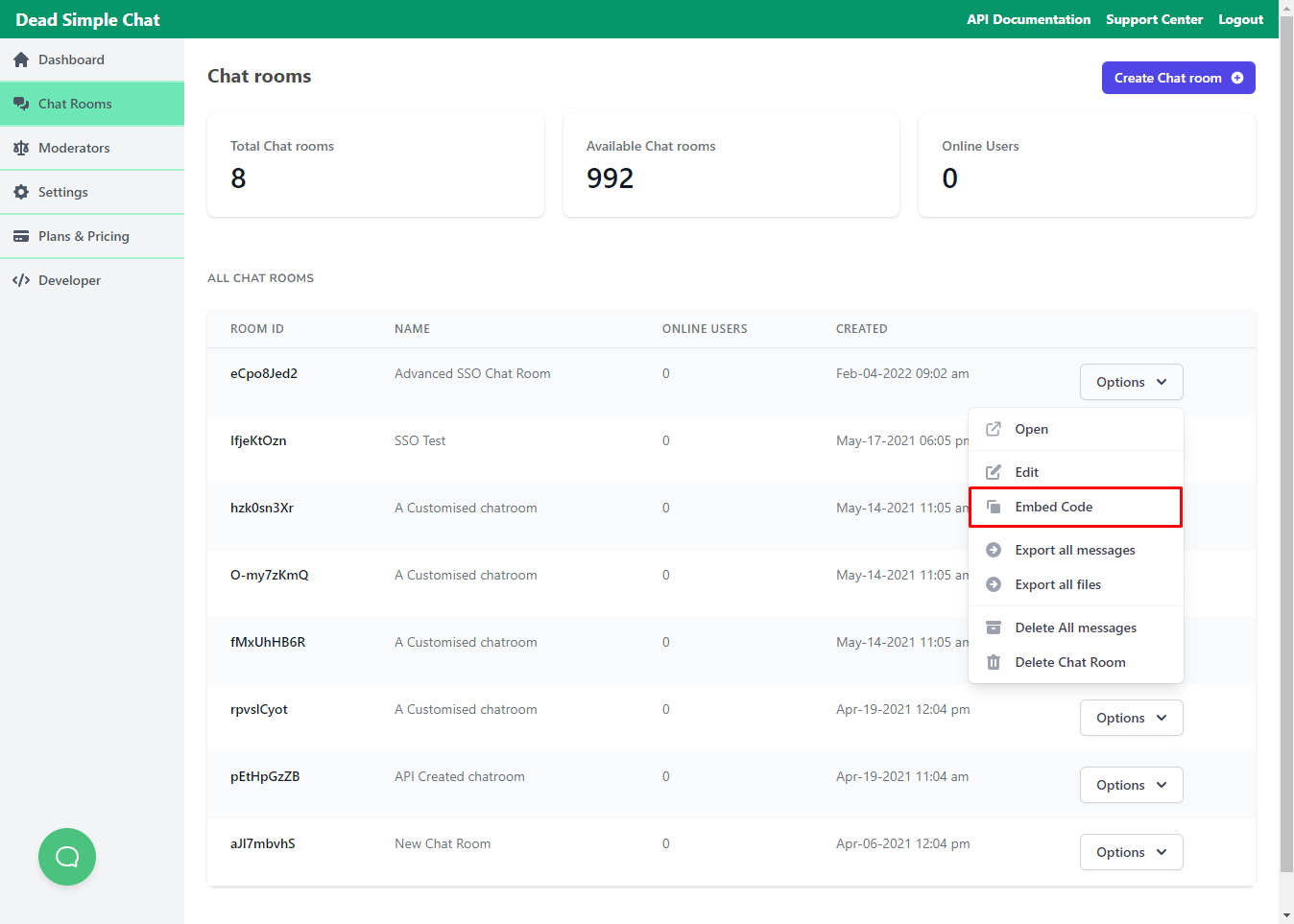 Embed code chatroom DeadSimpleChat
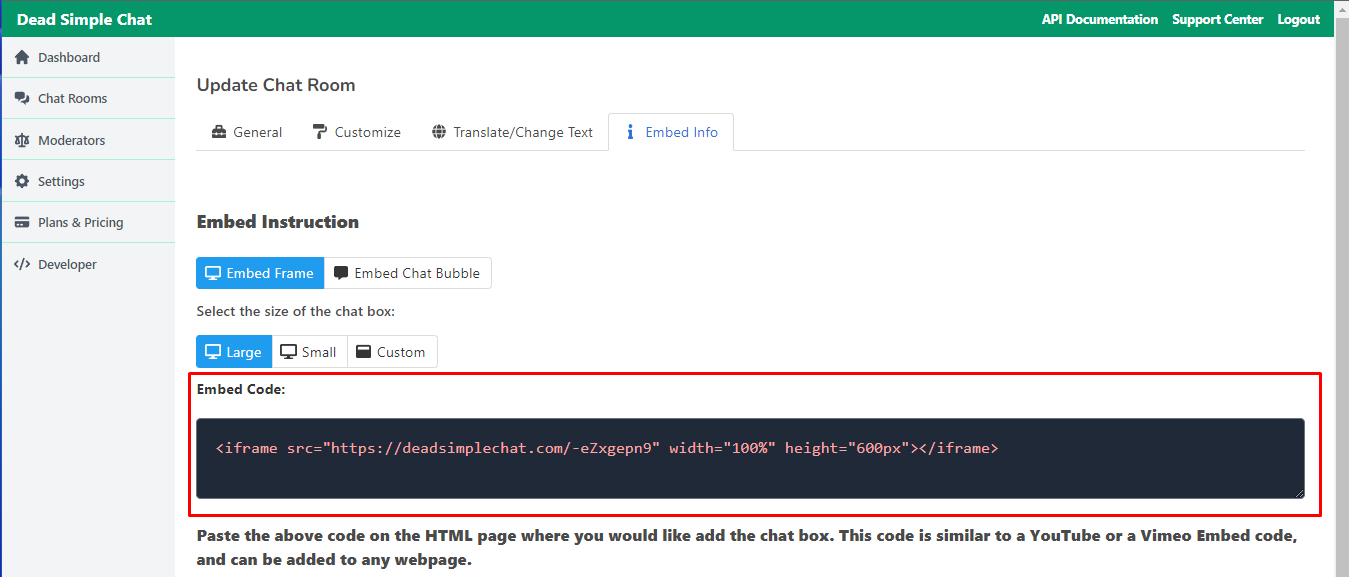 Embed info page DeadSimpleChat
Paste the iFrame code wherever you like to the chat on your Wordpress site, it can be added as a Custom HTML block, but add the class="myFrame" to the iFrame.
<iframe class="myFrame" src="https://deadsimplechat.com/YOUR_ROOM_ID" width="100%"
height="500px"></iframe>
- That's it! Now the user will be automatically logged-in to the chatroom when are logged-in to your site.